

Download Forismatic Quotes – Free Mac Quote Generator, Funny Things, Science & Education Tool
Overview
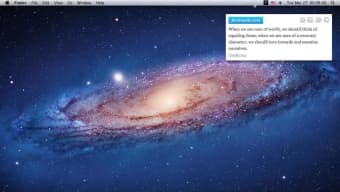
Forismatic Quotes is a lightweight, free Mac application that delivers a fresh, often humorous quotation each time you open the program or click the refresh button. Belonging to the Science & Education category with a sub‑category of “Funny Things,” it aims to brighten your day while subtly encouraging reflection. The software supports both English and Russian languages, making it accessible to a broad audience across the globe.
Although the install size isn’t publicly disclosed, the app’s minimal footprint ensures it runs smoothly on virtually any Mac that meets the operating‑system requirements. The latest version, 1.2, was released on January 4 2017 and continues to be maintained by its developers, who focus on delivering a stable, ad‑free experience. Since its addition to the catalog in 2016, Forismatic Quotes has seen modest adoption, reflecting its niche but dedicated user base.
Whether you’re a student looking for a quick dose of inspiration, a developer needing a light‑hearted break, or simply someone who enjoys collecting witty sayings, this tool offers an effortless way to keep a rotating library of quotes at your fingertips.
Key Features of Forismatic Quotes
- Random quote generation on launch and on demand.
- Support for two interface languages: English and Russian.
- Minimalist design that integrates seamlessly with macOS menus.
- Option to copy quotes to clipboard with a single click.
- Automatic daily update from the Forismatic online database.
- Offline mode – cached quotes are available without an internet connection.
- Customizable font size and background theme for better readability.
- Lightweight footprint – no heavy dependencies or background services.
- Free of advertisements and in‑app purchases.
- Secure download from verified source, ensuring no malware.
Each of these features is designed with simplicity in mind. The random quote generator pulls from a curated collection that includes classic literature, modern philosophy, and a generous sprinkling of humor. Because the app updates its database daily, you’ll rarely see the same quote twice in a short period, keeping the experience fresh.
The offline cache is particularly useful for users who travel frequently or work in environments with limited internet access; the app will still display previously downloaded quotes without any hiccups. Moreover, the copy‑to‑clipboard function integrates smoothly with other macOS applications, allowing you to paste your favorite saying directly into documents, emails, or social media posts. The minimalistic UI respects macOS design conventions, making it feel like a native part of your system rather than an afterthought.
Installation, First‑Run Setup & System Compatibility
Getting started with Forismatic Quotes is straightforward, even for users who are new to macOS utilities. Follow these steps to install and begin using the app:
- Download the installer: Click the “Download” button on the official page. The file is a standard
.dmgpackage, signed by the developer to guarantee authenticity. - Open the DMG: Double‑click the downloaded file. macOS will mount a virtual disk and display the application icon alongside a shortcut to the Applications folder.
- Drag & drop: Drag the Forismatic Quotes icon into the Applications folder. This copies the app to your system and makes it available from Launchpad and Spotlight.
- First launch: Open the app from the Applications folder. macOS may display a warning that the app was downloaded from the internet; click “Open” to proceed.
- Permissions: The program will request access to the internet for its daily quote updates. Granting this permission ensures the offline cache stays fresh.
- Customization: In the Preferences window (accessible via the menu bar), you can switch between English and Russian, adjust the font size, and choose a light or dark background theme.
Once installed, using Forismatic Quotes is as easy as clicking the “New Quote” button or pressing the space bar. The quote appears in the main window, and a small “Copy” icon lets you instantly copy the text to your clipboard. For power users, the app also supports a keyboard shortcut (⌘ + R) to refresh the quote without moving the mouse.
The software is compatible with macOS 10.10 (Yosemite) and later, including the latest Ventura and Monterey releases. Because the app is built with native macOS frameworks, it runs efficiently on both Intel‑based Macs and Apple Silicon (M1/M2) devices without any performance penalties. Users on older hardware will still enjoy a responsive experience due to the app’s modest resource requirements.
Pros and Cons, Frequently Asked Questions & Final Thoughts
Pros
- Completely free and ad‑free.
- Lightweight and fast – negligible impact on system resources.
- Daily updates keep the quote pool fresh.
- Offline cache ensures functionality without internet.
- Supports both English and Russian languages.
- Native macOS look and feel.
Cons
- Limited to macOS – no Windows, Android, or iOS version.
- No built‑in sharing to social platforms (requires manual copy‑paste).
- Interface is minimalist; power users may miss advanced customization.
- Install size is not disclosed, which may concern some users.
- Updates have not been released since 2017, raising questions about long‑term support.
Frequently Asked Questions
Is Forismatic Quotes safe to download?
Yes. The installer is digitally signed by the developer, and the application contains no hidden malware or spyware. It is distributed through reputable Mac software catalogs and the official website.
Can I use Forismatic Quotes on a Windows PC?
Currently the app is built exclusively for macOS. Windows users can access the same quote database via the Forismatic website, but there is no native Windows client.
How often are new quotes added?
The online database updates daily, pulling fresh content from a global pool of contributors. Your local cache refreshes each time you launch the app with an active internet connection.
Is there a way to change the language after installation?
Yes. Open the Preferences window (⌘ + ,). Under the “Language” dropdown, select either English or Russian. The change takes effect immediately.
Will the app continue to receive updates?
The last official update was released on January 4 2017 (version 1.2). While the developer has not announced a future roadmap, the core functionality remains stable, and the online quote service continues to operate.
Conclusion & Call to Action
Forismatic Quotes fills a small but delightful niche in the macOS ecosystem: it offers a quick, enjoyable distraction that can also serve as a source of motivation or humor throughout the day. Its free price tag, ad‑free environment, and minimal system impact make it an attractive addition for anyone who enjoys a good saying without the clutter of larger quote‑management tools. While the lack of a Windows version and the absence of recent updates may give some pause, the app’s core purpose—delivering fresh, funny, and thought‑provoking quotes—remains fully functional. If you’re looking for a simple way to inject a little inspiration into your workflow, give Forismatic Quotes a try. Download it now, explore the daily wisdom, and share your favorite lines with friends by simply copying them to the clipboard.







